Cloudmefy Suite - Piping module

Sector: Refining and petrochemicals

Industrial piping management

From isometric to quality dossier, without transcribing anything along the way.

Related

Piping control is scattered: isometric drawings in one place, material keyed by hand into a spreadsheet, paper delivery notes for what reaches the warehouse, workshop fabrication tracked somewhere else, and a welding book that ends up as the project’s quality dossier. Each phase is copied from the one before. The data is retyped three or four times, and when a test or a date has to be justified, rebuilding it takes days.

The module is organised into five submodules, in the order in which the work progresses.
TU-ISO

Isometric drawings and revisions

Isometrics come in through the document reading module SU-OCR: the material comes off the drawing in minutes, with validation before it is loaded. No more going through drawing after drawing and typing it into Excel.

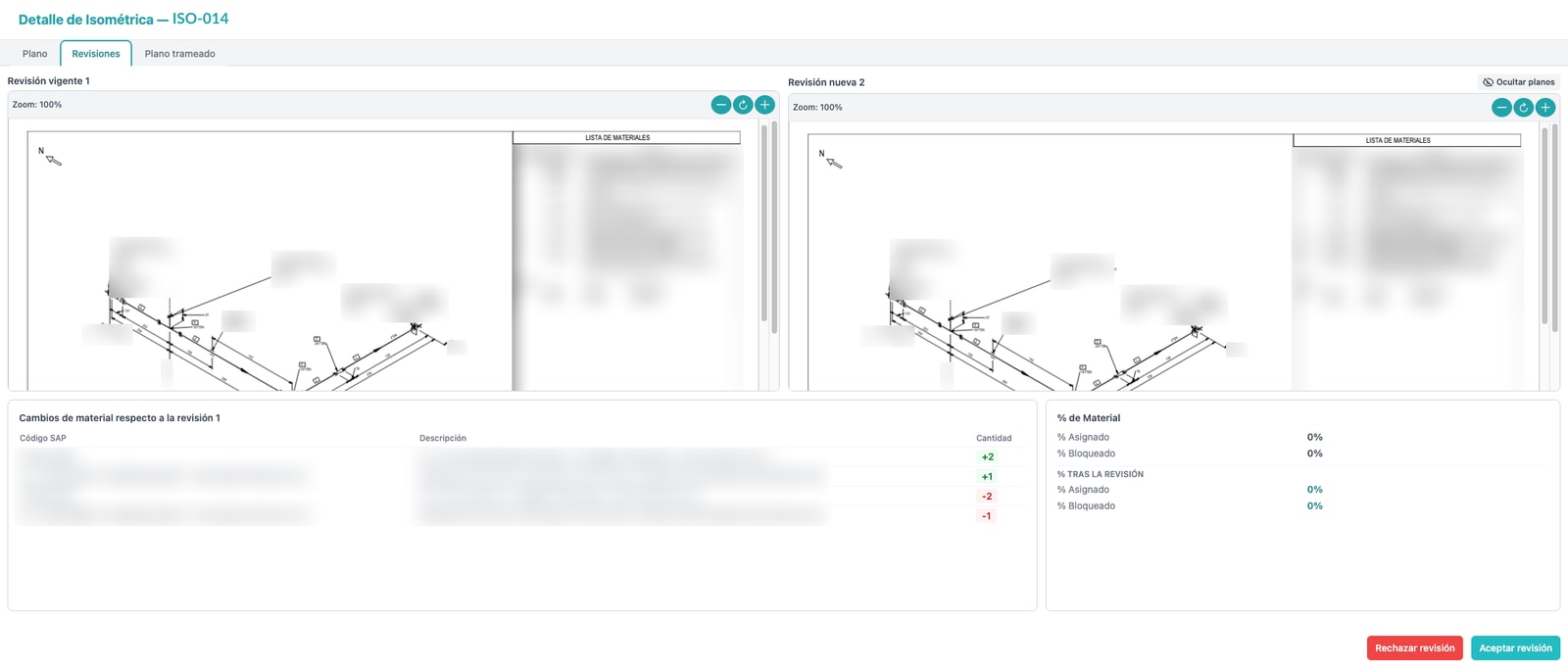
Revision control. Each isometric has its current revision, and when a new one arrives it is compared with it. The screenshot shows the revision comparator: both drawings, the current one and the new one, side by side. Below them, the system summarises what changes from one revision to the other: the material that comes in and goes out, with its quantities; the percentage of material assigned and blocked now and after accepting the revision; and, if welds have already been made, how many there are and whether any is lost with the change. With that information the revision is accepted or rejected. Work on site carries on while the client reviews; it only stops if they reject.

Screenshot of the application
TU-MAT

Materials

Material is assigned automatically, according to your priorities. You set priorities by isometric or by area, with an estimated date. The contractor confirms in the application the material they have received. With that available material, the system generates the assignment automatically: the highest-priority isometrics and those with the most inch-diameters first, always making sure the workshop keeps fabricating, which is what both the contractor and the client need. What used to take an afternoon in Excel becomes a single screen.

TU-TRA

Spooling

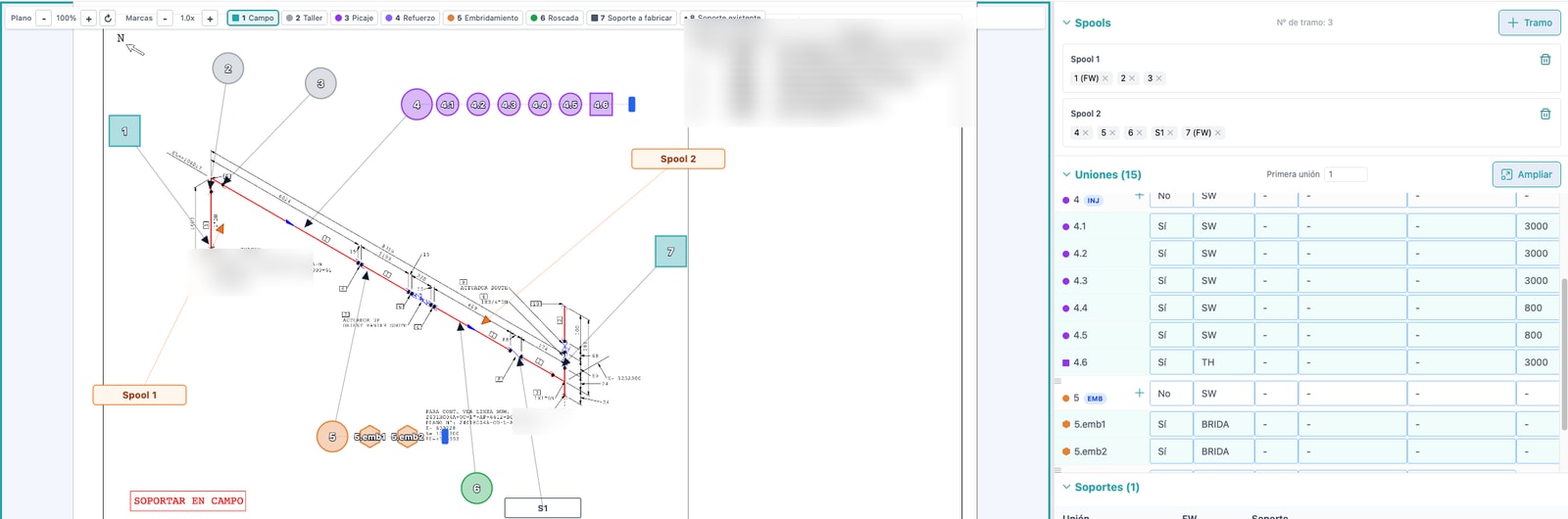
Spooling on screen. You mark the joints on the drawing itself and the system generates the spools and joints, with linear metres calculated from the drawing instead of measured by hand.

Screenshot of the application
TU-TRM

Spool tracking

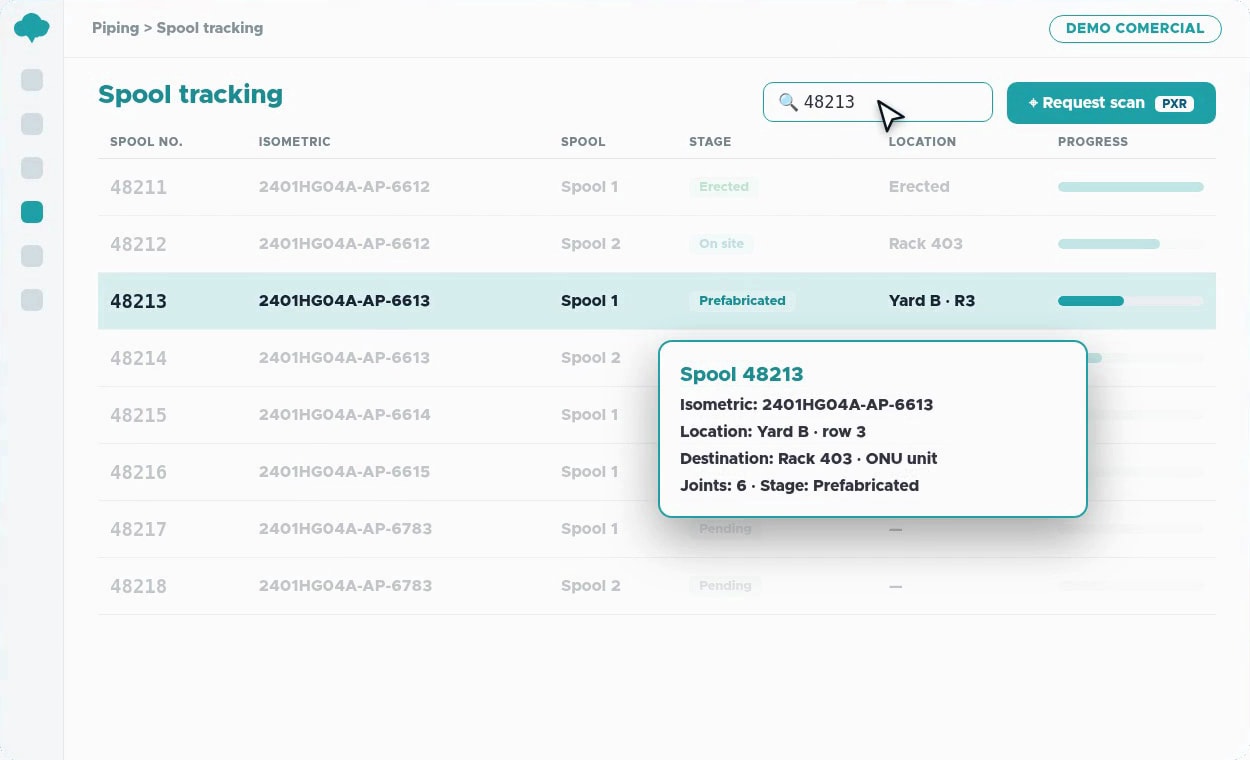
Every spool, located. Material status and the physical route of each spool through the workshop, painting and erection, all in the same place.

Frame from the demo video
TU-WBK

Welding book

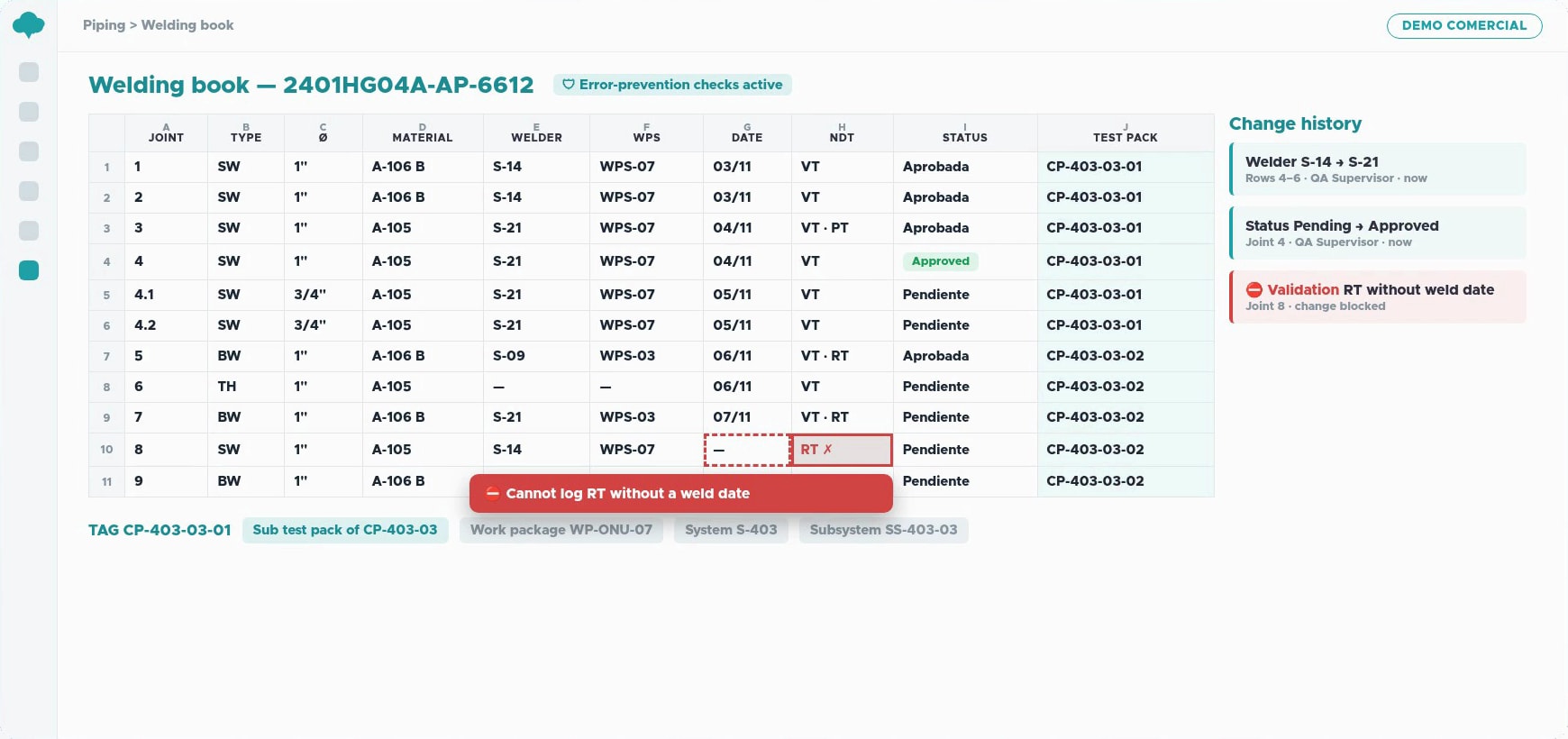
The quality dossier builds itself. Each joint carries its type, diameter, filler rod, heat number, welder and tests from the moment it is spooled. The welding book is no longer a compilation job at the end of the project, done by hand against the clock, with all the risk of error that brings. It is already done, and the quality dossier is exported from it.

The quality sequence cannot be skipped. There is no test recorded without a weld, and no weld without material. The system enforces the order of work.

Frame from the demo video

Several contractors at once

Each one works on the project without overwriting the others, with a history of every change.

A Cloudmefy product, developed together with MOEVE.